Renewing your domain name on time is essential to keep your website, email, and online services running without interruption. Trustname makes the renewal process simple, offering flexible renewal periods, multiple payment options, and automatic renewal to help you avoid accidental expiration.
Key Takeaways
- Renew Before Expiration – Renew your domain before its expiration date to avoid website downtime, email disruptions, and the risk of losing your domain.
- Enable Auto-Renewal – Turn on auto-renewal to let Trustname automatically renew your domain before it expires using your wallet balance or default payment method.
- Choose a Flexible Renewal Period – Extend your domain registration for anywhere between 1 and 10 years based on your needs and budget.
- Understand the Domain Expiration Lifecycle – If you don't renew your domain, it progresses through the Expired, Grace Period, Redemption Period, and Pending Delete stages, each with different recovery options and costs.
- Protect Your Brand and Domain Ownership – Renewing your domain on time helps prevent domain squatters, phishing attacks, service interruptions, and the possibility of losing your domain to another registrant.
TABLE OF CONTENTS
- Key Takeaways
- What Happens If You Don't Renew Your Domain
- Don't Risk Your Domains Expiring
- Can You Transfer Your Domain Without Renewing It?
Since domain ownership isn't permanent, you must renew your registration before it expires. Follow these simple steps to renew your domain on Trustname.
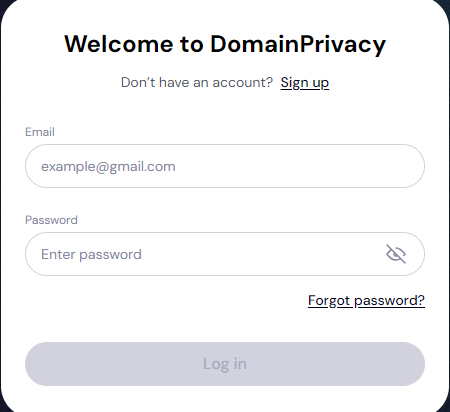
- Log In to Your Account
Log in to your customer account by clicking "Log in" at the top right corner of Trustname's homepage. Enter your username and password, and you're in!
- Access the Domain Section

Once logged in, click on the "Domain" section on the homepage. It will open a window giving you four options to choose from; click on "registered domains" to access the domain name you want to renew.
- Select the Domain to Renew
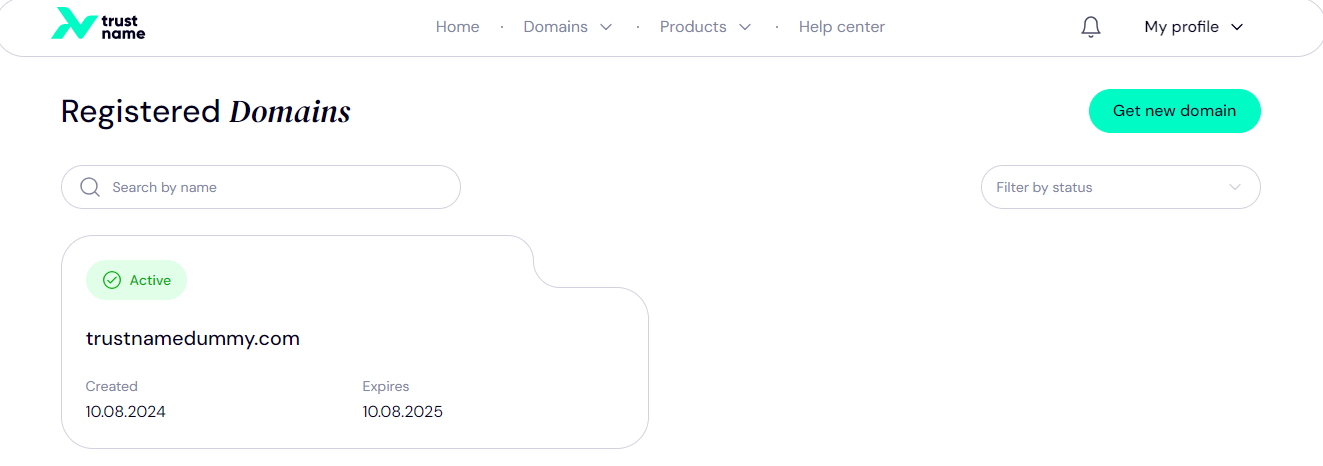
On this page, you'll find a list of your registered domains. You can either scroll to find the domain name you wish to renew, or just search for it by name using the search bar. Click on the chosen domain to access its details.
- Initiate the Renewal Process
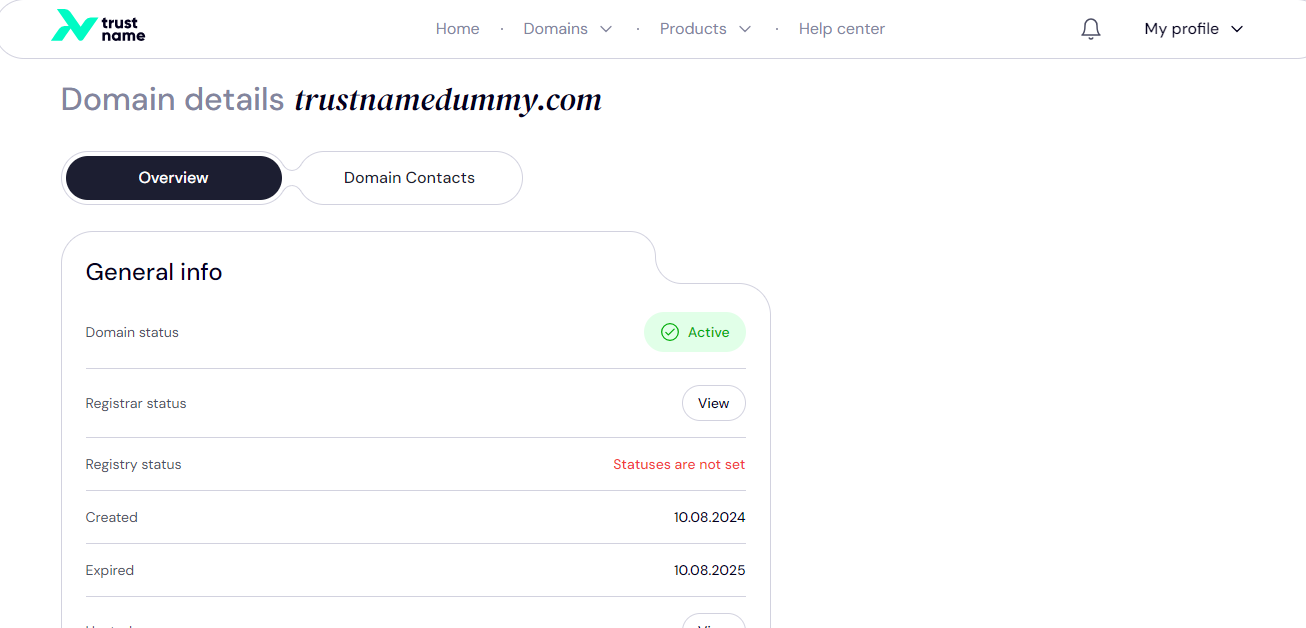
This page will display the domain's general information, the date it was created, its expiry date, the domain status, etc. Scroll down and look for the "Renew" option. There you will see the renewal cost, and should you want to proceed, click on "renew domain" to start the process.
[+] [Callout] Default Insert title here [+] [Callout] Title/Title with Icon -> We recommend that you enable auto-renewal so you don't have to go through this process again next time. We will automatically renew your registration on the due date.
When you enable auto-renewal, we will attempt to renew your domain 30 days before expiration automatically. We will try charging your Trustname account wallet first. If you don't have enough funds, we'll then try billing your default payment card.
- Choose Renewal Duration
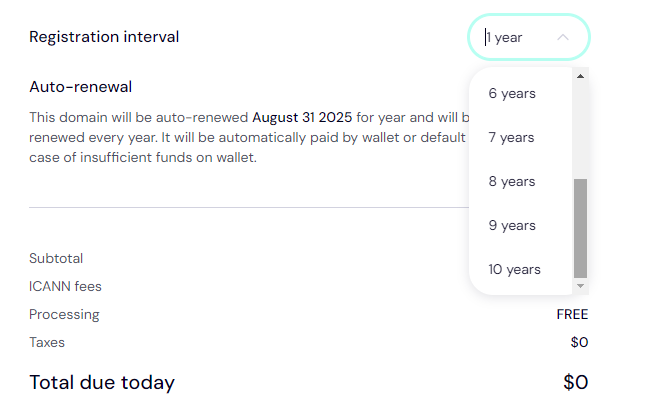
Select how many years you want to renew your domain for. You can choose from 1 to 10 years depending on your budget. Once you make your choice, it's time to review your selection.
- Review and Confirm
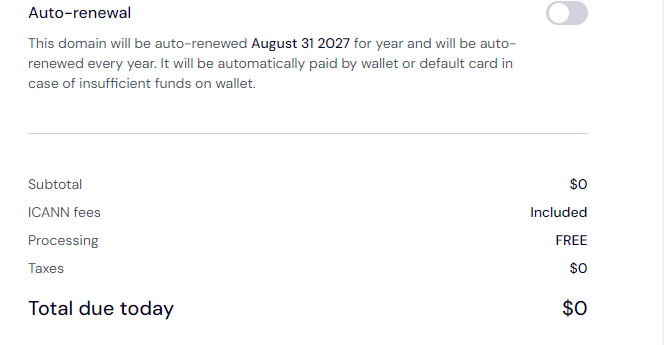
Take your time to review the breakdown of the renewal cost. On Trustname, ICANN fees are included in your renewal fees, while processing is completely free. However, you will have to pay your taxes.
Confirm your choices and proceed with payment.
- Make Payment
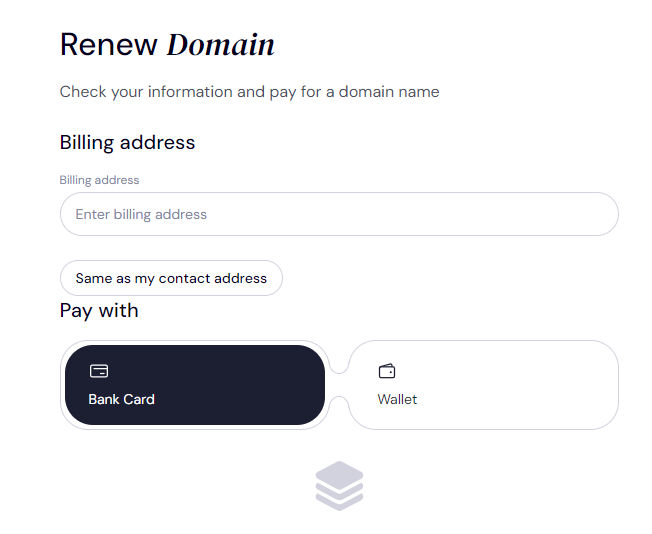
Still on the review page, look to your left where you will see "Renew Domain", scroll down, and type in your billing address underneath.
You can pay with either your bank card or your account wallet that's if you have funds in it.
But if you haven't made any payments on Trustname before, then you'll need to add a bank card. Scroll down and click on "Add new card".
- Adding a bank card
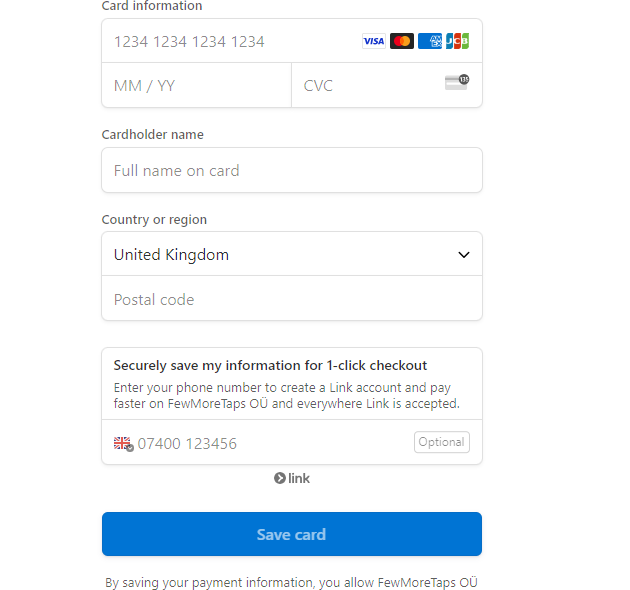
On this page, type in your card information, your country or region, and your postal code. If you prefer fewer steps when making payments on Trustname, you can enter your phone number (which will be verified), and we'll create a 1 click checkout for you.
Click on "Save Card" and head back to the previous page and click "pay". Once payment is confirmed, your domain name will be renewed.
[+] [Callout] Info Insert title here [+] [Callout] Title/Title with Icon -> Trustname accepts payment from over 175 payment portals worldwide. In addition to traditional payment methods such as credit cards, bank transfers, and PayPal, we also accept cryptocurrency payments in bitcoin, altcoins, and stablecoins.
- Check Renewal Status
After renewal, verify that the renewal has been processed by checking your domain's status on the "general info" page. There you will see the new expiration date.
What Happens If You Don't Renew Your Domain
If you don't renew your domain, it will go through four stages in its expiry cycle expired, grace period, redemption period, and pending delete.
- Expired
Domains have expiry dates, and once that day has passed, your website and email services will go offline. The domain may be parked on a default page indicating it has expired.
- Grace Period
Although your website has stopped functioning, you have a 38 day window on Trustname during which you can renew your domain without additional fees.
- Redemption Period
After the grace period, you will still get another 30 day window to renew your domain, but this time you'll pay an additional fee on top of your renewal cost, which cannot be waived or refunded. You will also need to contact Trustname's support to restore your domain name.
But if you don't want to pay the fee, then you'll have to wait until the domain name is made available for public registration.
- Pending Delete
After the redemption period, your domain enters the pending delete phase, and it can no longer be retrieved as it is essentially no longer yours. But if you still want it, you will have to compete with others for the domain name when it is made available for registration again.
Don't Risk Your Domains Expiring
Immediately after expiration and after the Grace Period, your domain name may be auctioned or re-registered by another party (domain squatters) who may offer to sell it back to you at a much higher price.
Phishers who snatch your domain after it expires may also use your domain to build scam websites and damage your brand reputation, especially if you have an established audience or customer base.
To avoid unnecessary stress and potential service disruptions, we recommend renewing your domain promptly.
Can You Transfer Your Domain Without Renewing It?
Trustname will allow you to transfer your domain if it is still in the grace period. However, it's crucial to complete the transfer before the domain enters the redemption period to avoid additional fees and complications.
Ensure the domain is not locked; we will help you disable the WHOIS privacy protection, and don't forget to obtain the EPP/Auth code from us before initiating the transfer.
If you need further clarification on this process, create a ticket or chat with us live; we'll be happy to help.
Was this article helpful?
That’s Great!
Thank you for your feedback
Sorry! We couldn't be helpful
Thank you for your feedback
Feedback sent
We appreciate your effort and will try to fix the article